A restaurant website: build it yourself, or we build it
You put the site together on the staff page, with no code and for free. Pick the sections, add photos and text, and see the result next to it as you go. No time? We’ll build it for you. In Armenian, Russian and English, for people in Yerevan and for visitors.
Building the site in staff is free.



Two ways
Yourself, in staff
FreeNo developer and no code. Change anything, any time.
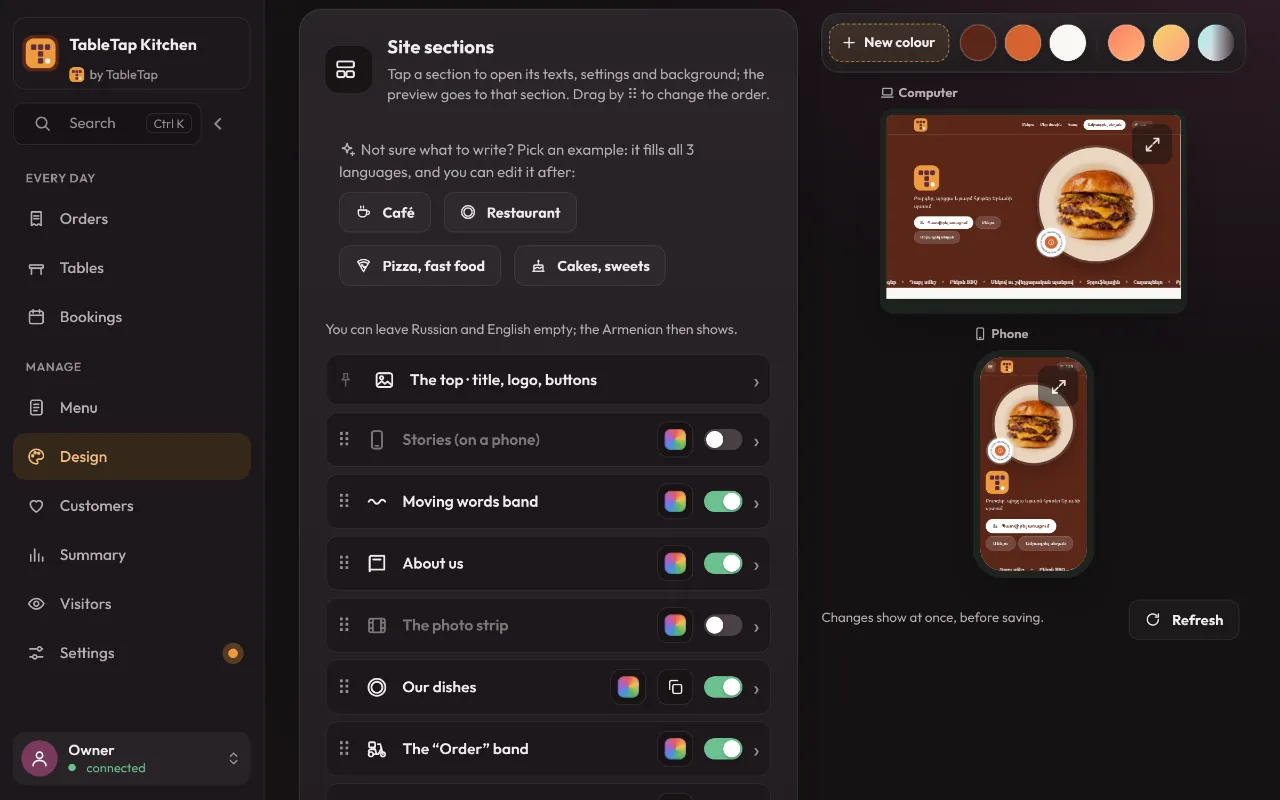
- Sections: the header, about us, dishes, stories, address, hours and a map
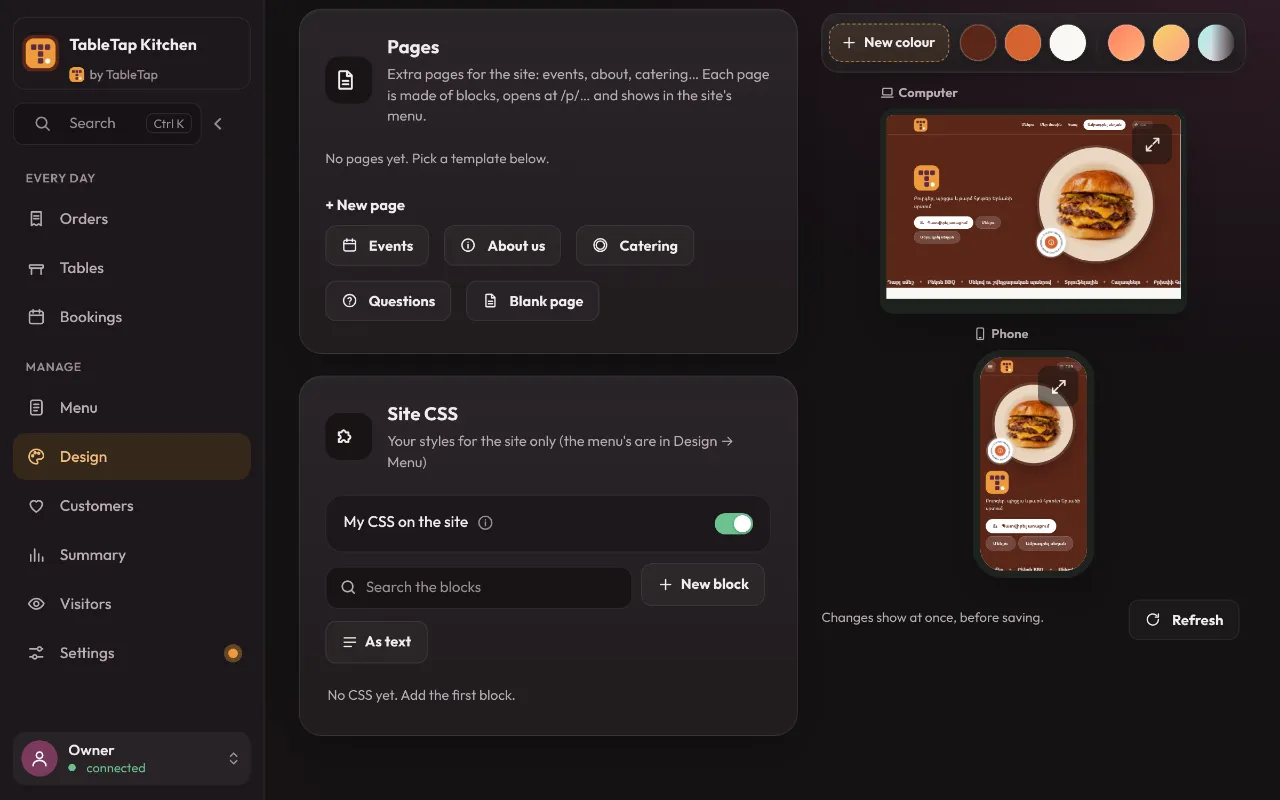
- Extra pages: events, catering, questions
- Ready styles, colours and fonts
- An opening animation from the site to the menu
- Table booking
- Your own domain and Google settings
- A live preview on a computer and a phone
- You can edit from a phone too
We build it
Paid onceYou give us the photos and text, we build the site in your colours. Then you change it yourself.
- A landing page, paid once
- Each extra page or blog article separately, once
- No monthly fee for the site
- Connecting your domain is free
What you get
Sections and pages
Photos, your story, hours, a map, stories and your own pages.
Table booking
Guests pick the day, time and party size, and you see the booking on the staff page.
Your own domain
For example restoran.am. You add the DNS records the staff page shows, and HTTPS turns on by itself. Printed QR codes keep working.
On Google
The site’s pages can be found in search engines.

From the demo of TableTap Kitchen, our showcase restaurant · tabletap-kitchen.tabletap.am
How it works
- 1
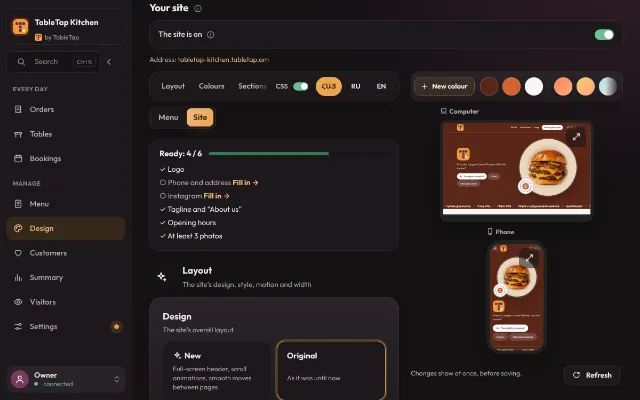
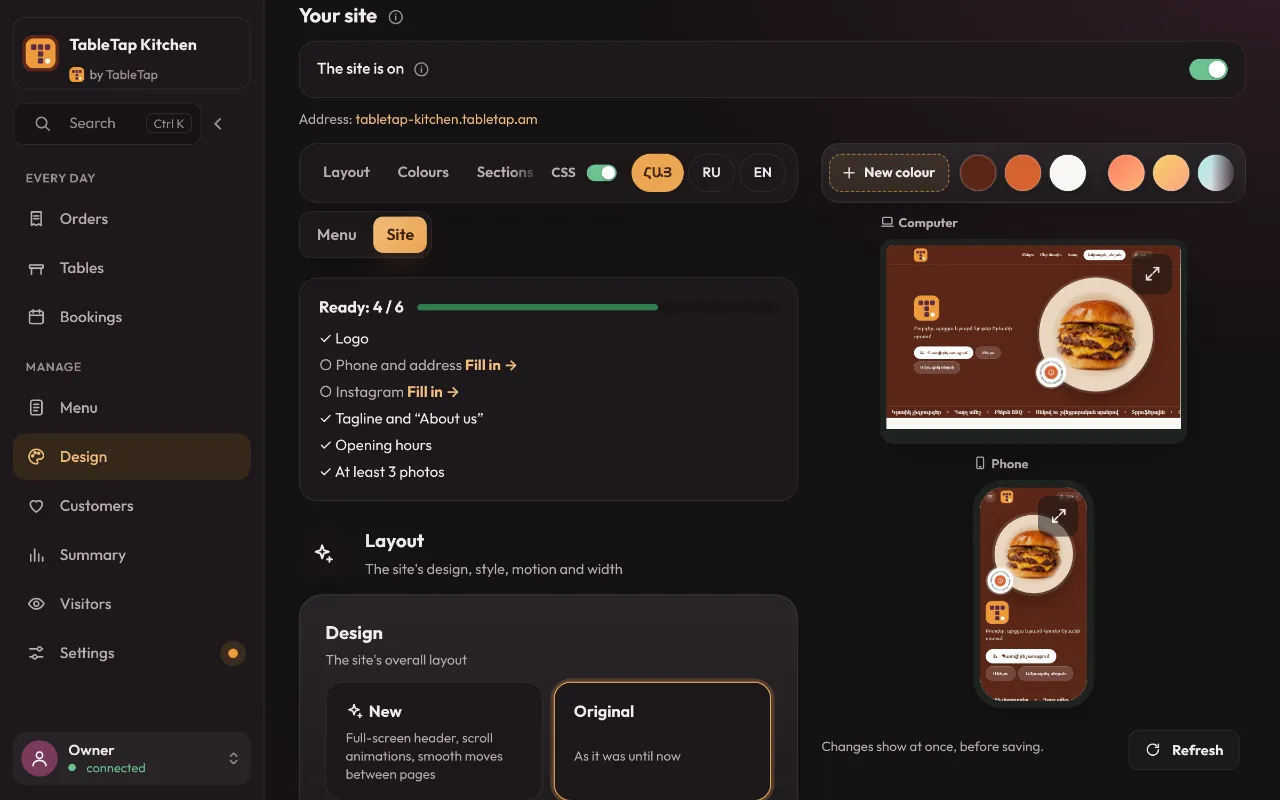
Open staff → Design → Site
Turn the site on. Next to it is a live preview on a computer and a phone, and a checklist shows what is left to fill in.
- 2
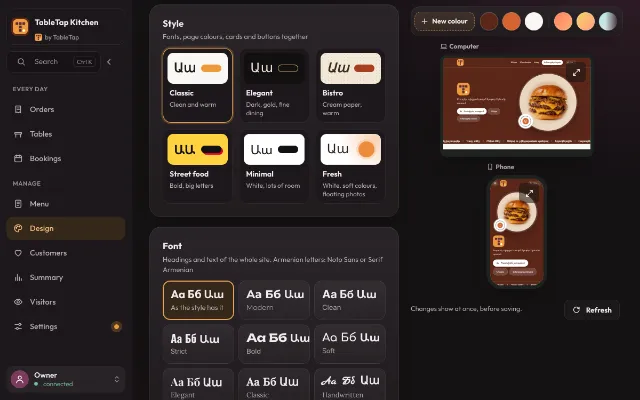
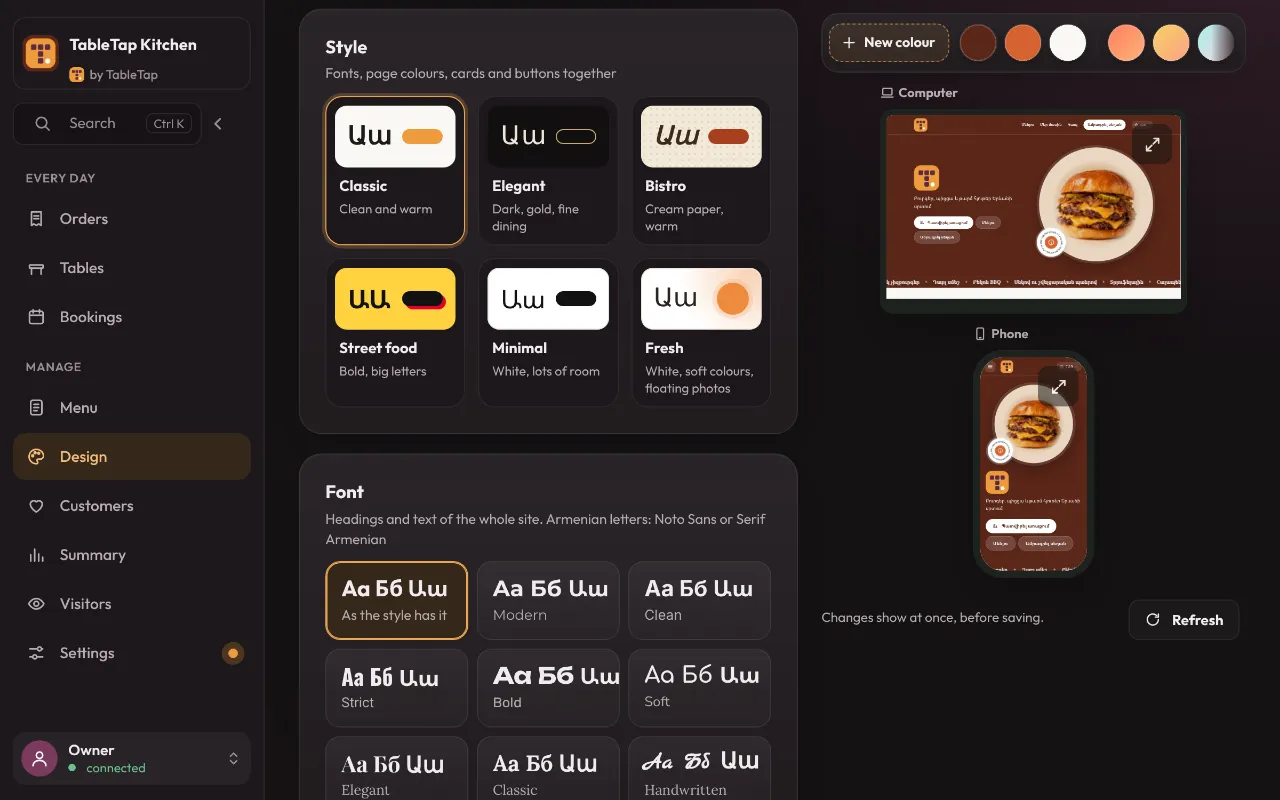
Pick a style
Ready styles, fonts, colours and motion on scroll. Every change shows in the preview at once.
- 3
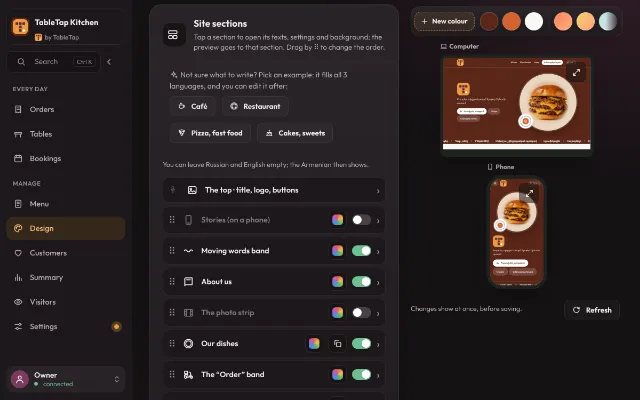
Pick the sections
Turn on the ones you need, drag to change the order, add photos and text. An example text fills in all three languages.
- 4
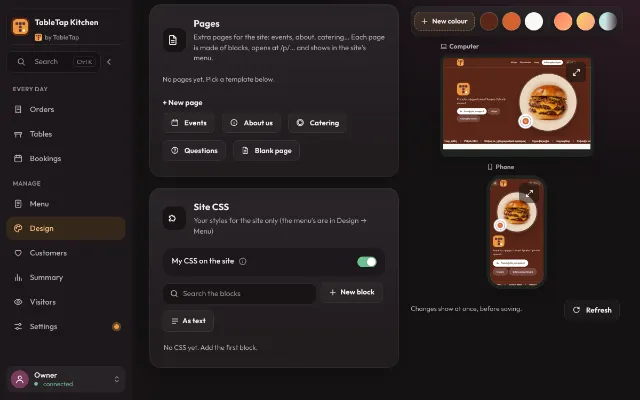
Add pages and save
Events, about us, catering, questions or a blank page. Save, and the site is open to guests.
Restaurant website: questions
Can I build it myself without a programmer?
Yes, and it is free. You build it in Design → Site on the staff page, with no code, and change it any time.
How much is it if you build it?
One payment for the landing page, and a separate one for each extra page. There is no monthly fee for the site. The amounts are on the Pricing page.
Who owns the domain?
You do: you buy and renew the domain, and we show you which records to add.
What if we already have a website?
Your site can use TableTap as its menu and ordering system.
Also useful
Online menu
One address that opens on any phone: in your Instagram bio, on Google Maps, in WhatsApp or on your site. Guests see the dishes, prices and photos in their language.
Learn moreQR menu
The guest scans the QR code on the table and the menu opens in the phone’s browser: no app, no sign-up, with photos, in your colours and in their language. Handy in Yerevan, where guests speak different languages.
Learn moreCRM and loyalty
Guests who sign in stay on your list, not in a delivery app. Bring them back with cashback, promo codes and messages.
Learn more
Let’s start with your restaurant or shop
Leave your phone number: we’ll call, show you everything and help launch your online restaurant, online shop or website. The first month is free.
- No percentage of sales
- We make the menu and the design
- We’ll call within one working day
A restaurant already on TableTap invited you: when you join, you get 1 more free month on top of the first one.